In short
Form 106Sum adds nothing new. Every figure on it is copied from a line on another schedule: total property from Schedule A/B, total debts from Schedules D and E/F, income from Schedule I, expenses from Schedule J.
The form’s own instructions say to fill out the schedules first and this one last.
Who files it
Every individual debtor who files schedules. Anyone who later files amended schedules files a new summary with them.
What it asks
Part 1: Summarize Your Assets
The real estate, personal property and overall totals from Schedule A/B.
Part 2: Summarize Your Liabilities
Total secured claims from Schedule D, and total priority and nonpriority unsecured claims from Schedule E/F.
Part 3: Summarize Your Income and Expenses
Combined monthly income from Schedule I and monthly expenses from Schedule J.
Part 4: Answer These Questions for Administrative and Statistical Records
Whether your debts are primarily consumer debts, your current monthly income from the means test form, and the totals for a few categories of debt the courts track, such as domestic support, taxes and student loans.
When it’s filed
It’s filed with the petition, or within 14 days after it. That’s the deadline Bankruptcy Rule 1007(c) sets for the schedules and statements.
Related forms
- Schedule A/B: Property (Official Form 106A/B)
- Schedule D: Creditors Who Have Claims Secured by Property (Official Form 106D)
- Schedule E/F: Creditors Who Have Unsecured Claims (Official Form 106E/F)
- Schedule I: Your Income (Official Form 106I)
- Schedule J: Your Expenses (Official Form 106J)
- Declaration About an Individual Debtor’s Schedules (Official Form 106Dec)
The official form
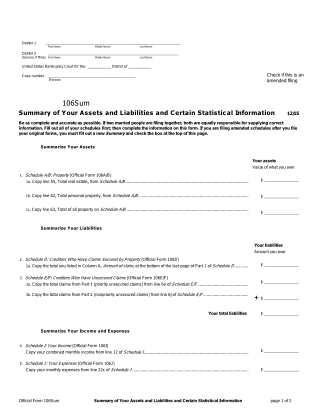
Official Form 106Sum is 2 pages long and is used in Chapter 7 and Chapter 13 cases. This guide describes the 12/15 revision, the date printed beside the form’s title. The federal courts publish the form and replace it when it changes, so their page always has the current one.
BK Prepare’s questionnaire builds the list of forms for a case from your answers, and includes this one when it applies.